Add the Parent Center as an icon on your device home screen so you can easily access the help and resources you need without delay. The process can vary, depending on the device and browser you are using, so we will provide a basic guide that should work for Safari and Chrome users.
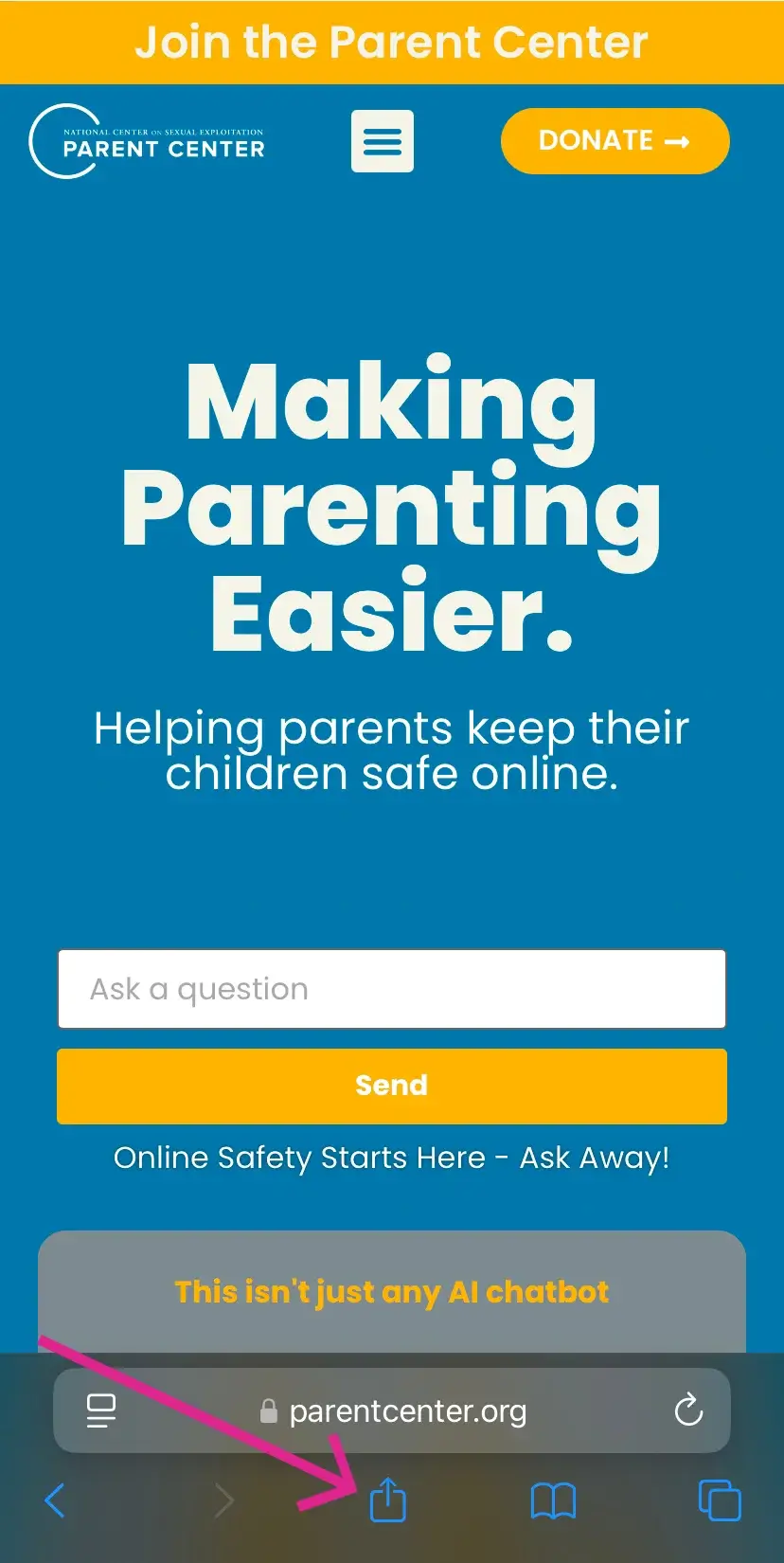
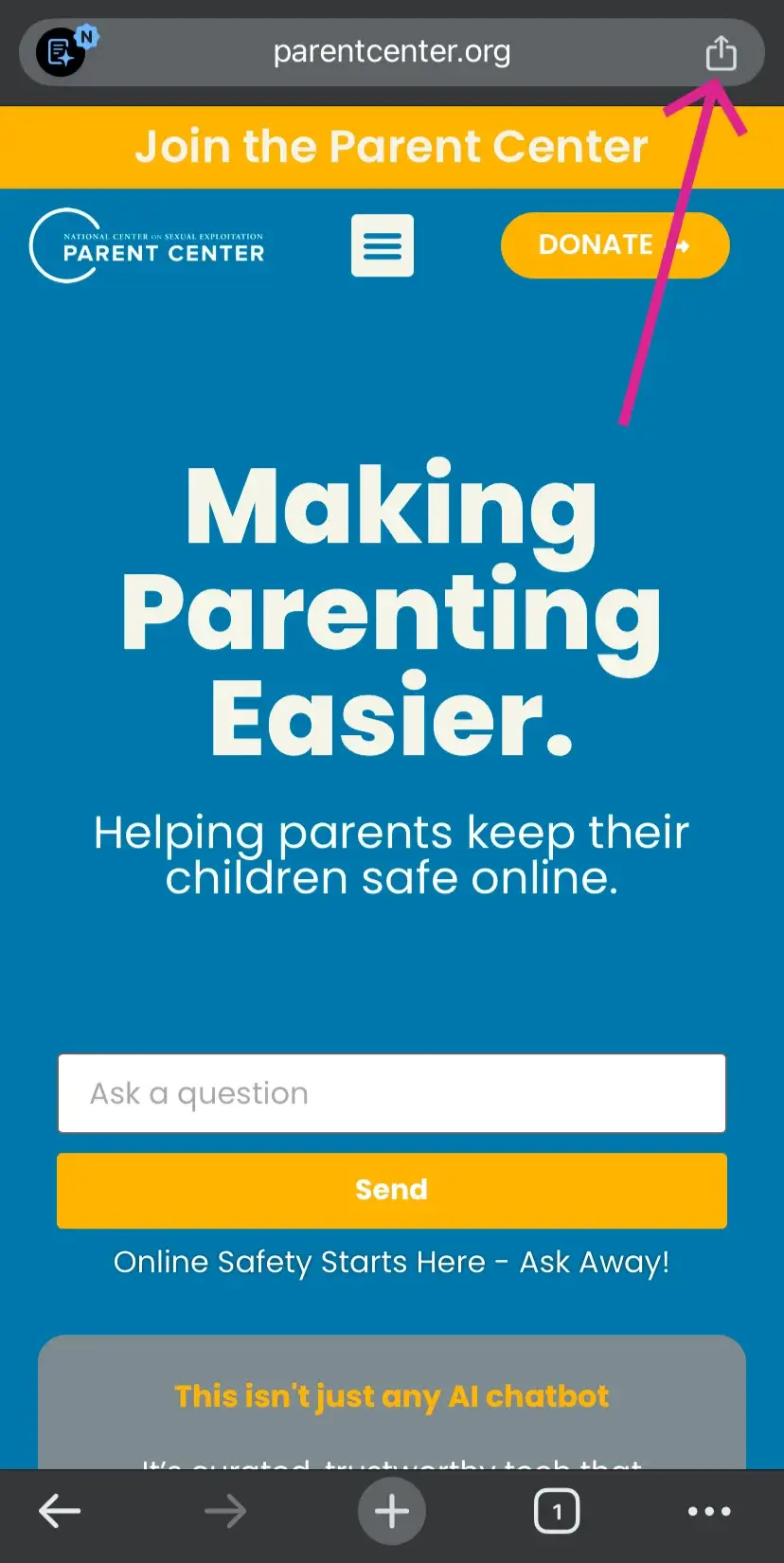
Navigate to ParentCenter.org in a Safari or Chrome Browser on your mobile device or tablet.
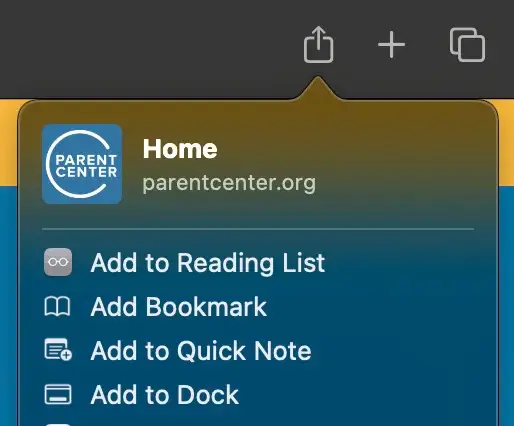
Tap on the “Share” icon
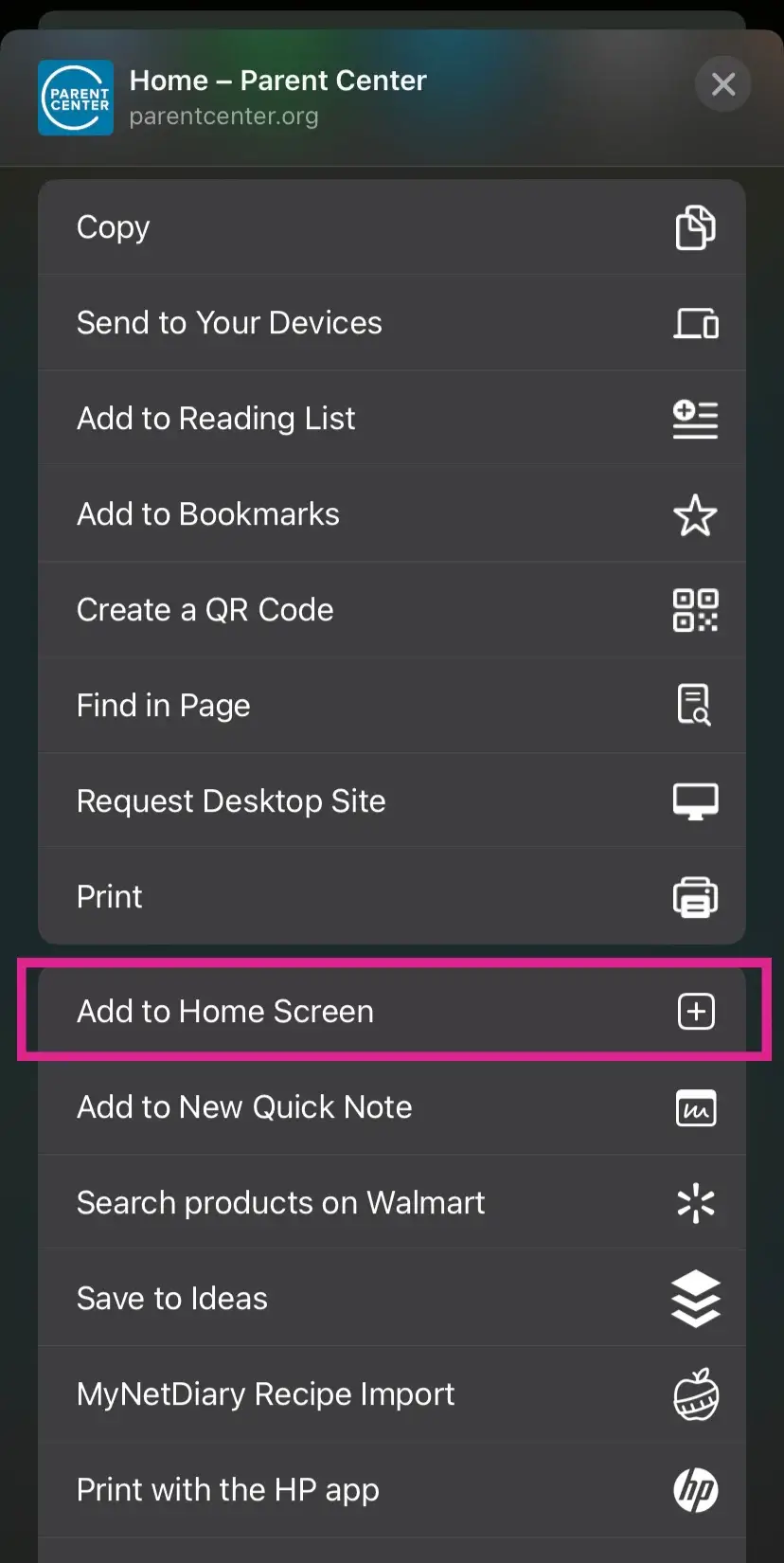
Select “Add to Home Screen”
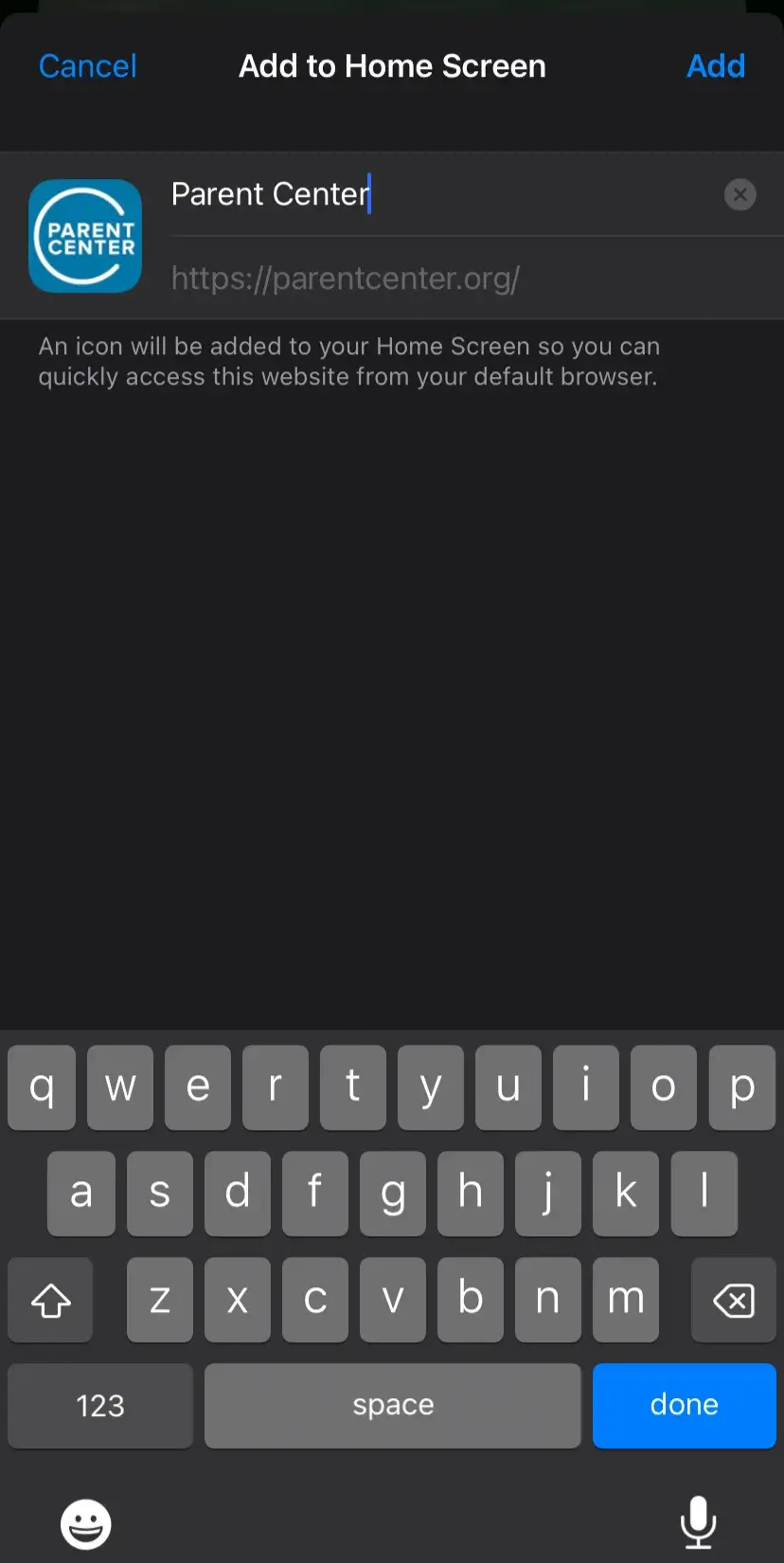
Confirm the name and save it by clicking “Add”
If you are using Safari:
If you are using Chrome:
Scroll down the options:
Add to Home Screen:
Note: Mac Users can add the Parent Center to their navigation menu by opening Safari, clicking the “Share” icon, and selecting “Add to Dock”